

Custom SMTP connects BooleanSMTP to any SMTP server: your host’s own mail server, a provider not listed elsewhere in Mailers, or an SMTP relay a provider issues you directly.
Before you begin
From your SMTP provider or host: a host, a port, whether it needs encryption, and, if it requires authentication, a username and password.
Add the connection
- In your WordPress admin sidebar, go to BooleanSMTP → Mailers.
- Click Add Connection and choose Custom SMTP.
- Under Sender Settings, fill in From Email and From Name.
- Under SMTP Server Credentials, fill in SMTP Host, Port (default
587), and Encryption Method: None, SSL, or TLS (default TLS). Auto TLS sits next to it, on by default; see the tip below. - Turn on Authentication if your server requires a login, then fill in Username and SMTP Password.
- Choose Credential Storage: Database, WP Config, or Environment.
- Click Register Connection.
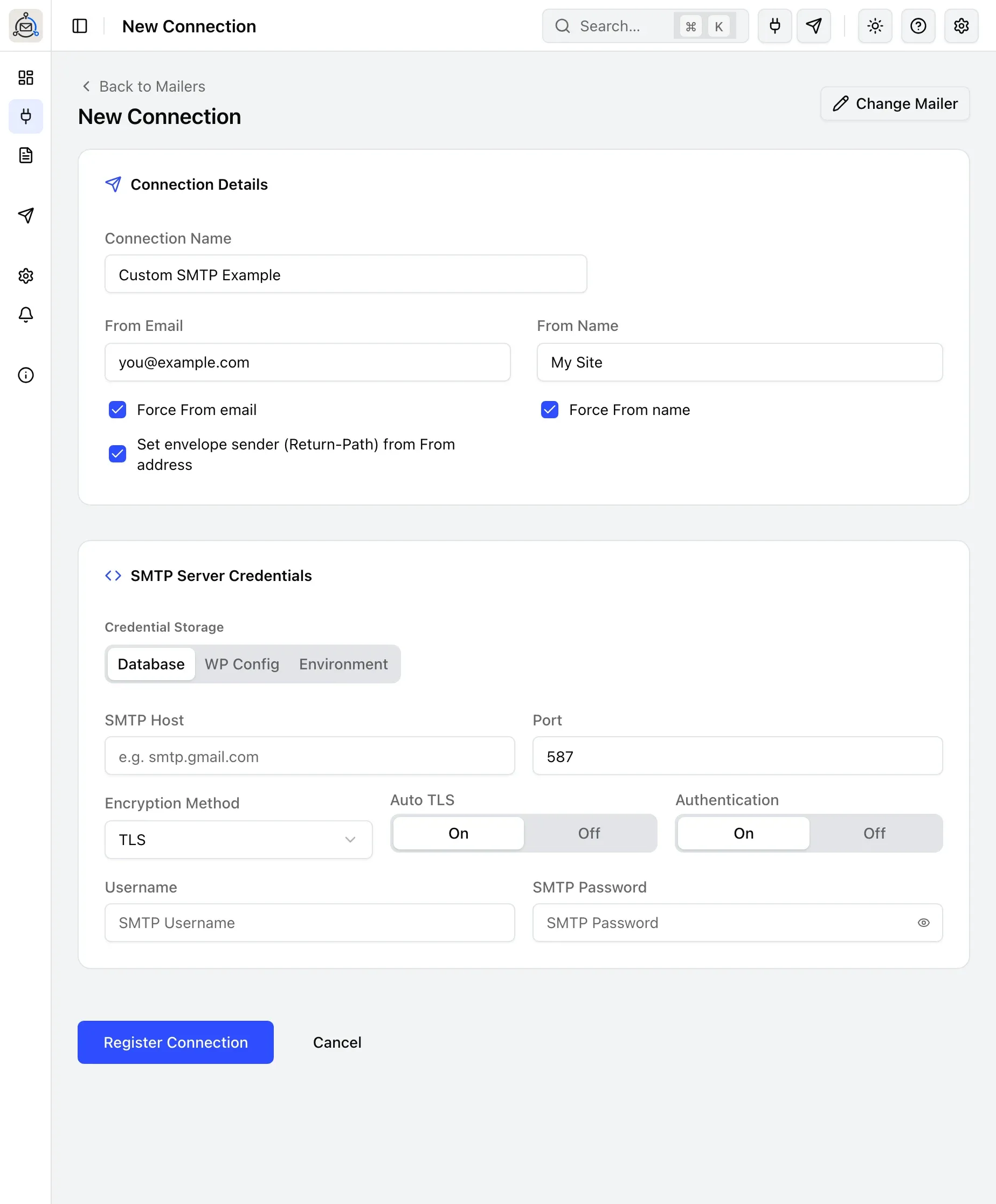
Choose where credentials are stored
Credential Storage offers Database, WP Config, or Environment. Switching away from Database replaces the whole SMTP Server Credentials panel with a snippet naming every field below as a constant, not just the username and password:
define('BOOLEANSMTP_SMTP_HOST', 'mail.example.com');
define('BOOLEANSMTP_SMTP_PORT', 587);
define('BOOLEANSMTP_SMTP_ENCRYPTION', 'tls');
define('BOOLEANSMTP_SMTP_USERNAME', '...');
define('BOOLEANSMTP_SMTP_PASSWORD', '...');
As Environment, define the same names as OS environment variables instead of PHP constants. See Storing credentials in wp-config for the general naming rule.
Send a test email
Use Test Email in the sidebar to confirm the connection works: see Send a test email for the steps.
Common errors
- “Connection timeout” or “Network error”: check your firewall allows outbound SMTP, try the other common port (465 for SSL, 587 for TLS), and check with your host for port restrictions.
- “Authentication failed”: verify the username and password are correct; some providers require an app password rather than your normal account password.
- A self-signed or internal certificate fails TLS verification: BooleanSMTP always verifies the server’s TLS certificate, and there’s currently no setting to turn that off. Install a valid certificate on the server, or only use Encryption Method: None over a trusted private network.
- See the raw SMTP conversation for a failed send: turn on Test Email Activity Console (BooleanSMTP → Settings → Testing & Content), then send another Test Email; the full SMTP handshake for that send appears right on the page.